How to fix flipped (reversed) normals in an STL
Here is a failure that used to confuse me for hours: the model looks completely normal in the preview, there are no holes and no weird overlapping faces, yet the slicer treats it as hollow or throws a normal error. The cause is usually flipped normals — the triangles are fine, but they are facing the wrong way. This guide explains what a normal actually is, how the engine spots an inside-out mesh, and exactly what the repair does, using a real file and the measured results rather than a generic “click repair” answer.
What a face normal actually is
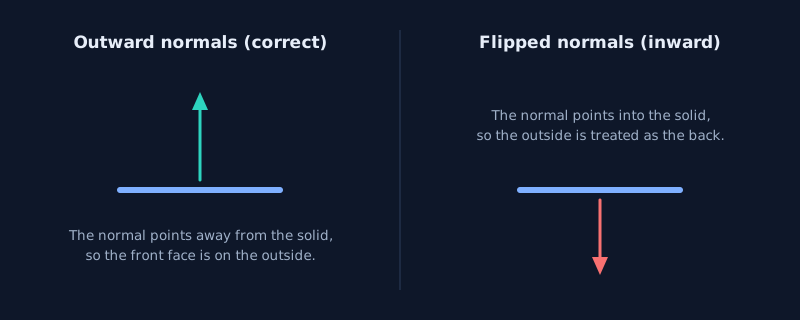
Every triangle has a normal: a direction vector pointing perpendicular to its surface. Which way it points is decided not by some extra setting but by the order of the triangle’s three vertices, called the winding order. Using the right-hand rule, if you curl the fingers of your right hand from the first vertex through the second to the third, your thumb points along the normal. Swap two vertices and the normal flips to the opposite side, even though the triangle occupies exactly the same space.
On a proper solid, every face normal points outward, away from the interior. That consistent outward direction is how software tells the outside from the inside. When the normals point the other way, the model is effectively turned inside out.
What flipped normals look like — and where they come from
The clearest case is a fully inside-out mesh: the geometry is still a closed, perfectly valid solid, but every face normal points inward. It tends to arrive from a mismatch between tools rather than a drawing mistake:
- Different coordinate or winding conventions. Some CAD and modeling packages disagree on which winding is front-facing; a round-trip through an exporter can leave the whole shell reversed.
- Format conversion. Moving between STL, OBJ and other formats, or through a converter that rebuilds the faces, can invert the orientation.
- Mirroring or scaling by a negative value. Mirroring a mesh flips winding; if the exporter does not correct it, the normals end up reversed.
- Merging shells with mixed orientation. Combining pieces that were exported with different conventions can leave parts of the assembly facing inward.
How to detect it instead of guessing
One thing I verified while building this: the STL format stores an explicit normal per triangle, but a reliable repair engine does not trust it. It recomputes the orientation from the winding, so editing the stored normal field changes nothing — the winding is what matters. The dependable signal is a mesh analysis that counts the faces whose orientation disagrees with the rest, reported as flippedNormalCount.
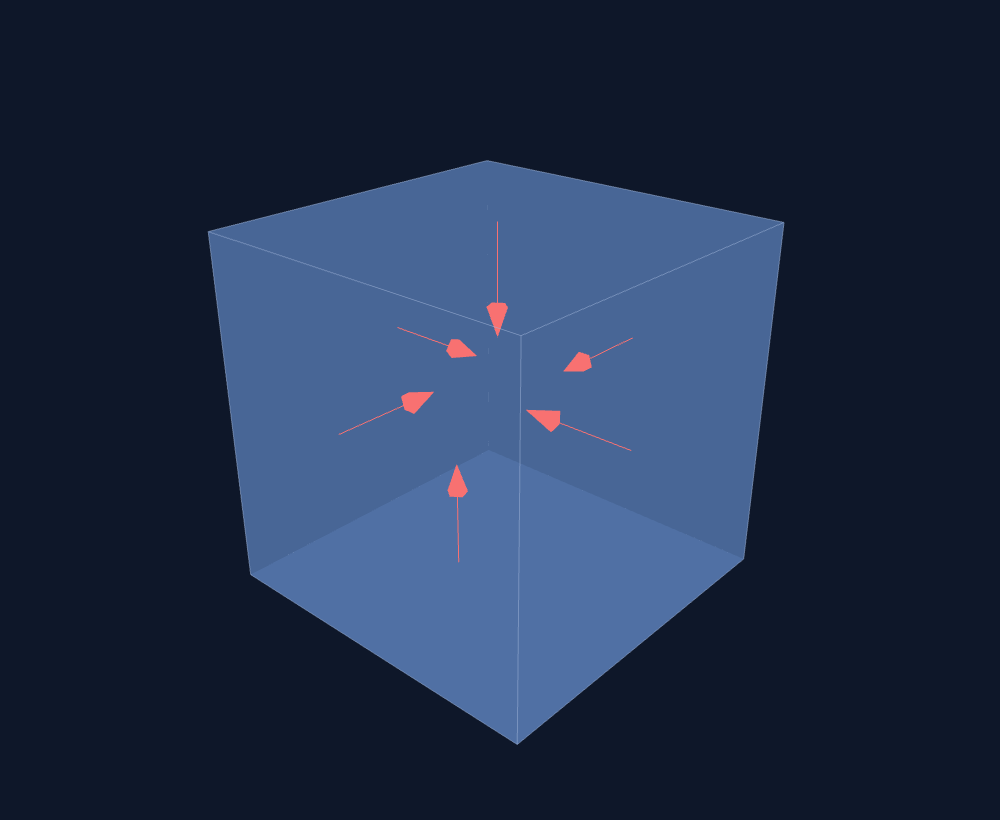
To get a real number, I built a closed test cube with all 192 triangles wound inward. The analysis before any repair reads flippedNormalCount = 192, while the mesh is still manifold and watertight (192 faces, 98 vertices, zero boundary loops). That combination — a closed solid with a high flipped count — is the signature of an inside-out model. When you load a file into the STL repair tool here, this count is reported before you change anything.
How a repair engine re-orients the mesh
Fixing normals is not about adding or removing geometry — the shape does not change. The engine works out a consistent orientation by walking across connected faces (the underlying method uses normal cones to decide whether neighbouring faces agree), starting from a seed and propagating the correct outward direction. When an entire connected component is reversed, the engine flips that component as a whole. On the test cube, the measured result is 1 component flipped and 192 faces flipped, with no faces skipped.
This runs in a WebAssembly worker inside your browser, so the file is read and corrected on your machine and never uploaded. The workflow is short: open the repair tool, select your STL, read the diagnosis, run the repair, and download the result. The basic tool is free with no per-file limit.

Be honest about a single reversed face
I also tested what happens when only a couple of isolated faces are reversed inside an otherwise outward shell, rather than the whole solid. The result is different and worth stating plainly. In an STL, a lone reversed face winds its edges the opposite way from its neighbours, so the half-edge structure cannot pair those edges cleanly on import. The engine drops those conflicting faces at load (measured as 2 skipped faces), which leaves two small open boundaries, and then the hole-filling step rebuilds them with the correct orientation. The end result is still a watertight mesh, but it reached that point through skip-and-refill, not by counting them as flipped normals.
That is why flippedNormalCount specifically measures orientation disagreement on a mesh whose topology is intact — most commonly a whole inside-out component. Faces that cannot even be connected are handled as invalid input and rebuilt, and a good tool reports that distinction rather than labelling everything “flipped.”
How this differs from holes and non-manifold edges
These three errors are easy to conflate, but they have different signatures. A hole is an open boundary where an edge belongs to only one face; the fix adds triangles. A non-manifold edge is shared by too many faces; the fix splits them. Flipped normals occur on a closed, connected mesh where the faces simply face the wrong way; the fix reverses their orientation without moving a single vertex. The analysis step names the exact error so you do not apply the wrong operation.
When to fix it by hand
Automatic re-orientation is the right default for an inside-out file, but if an assembly mixes several shells with different orientations and you need to preserve specific pieces, a desktop mesh editor lets you recalculate normals per object and control exactly what gets flipped. The trade-off is the usual one: manual control takes longer and a heavier application, while an in-browser repair re-orients the whole component in seconds and shows you the resulting count.
Wrapping up
A face normal is the outward direction implied by winding, and flipped normals mean a closed, otherwise-valid mesh is facing inward. On the real test cube the engine reported 192 flipped faces, flipped the single component as a whole, and returned a count of zero with the geometry unchanged. If you load your STL in the free tool, you get the exact count first and a re-validated result afterward. Just remember the distinction: a reversed whole component is a normal problem, while a lone reversed face that breaks connectivity is skipped and rebuilt — and an honest tool tells you which one happened.